Getting a BankID on Mobile: Why It Was Replaced by the BankID App
If you have recently tried to log into your Norwegian bank account or access a government portal, you may have noticed that the familiar "BankID på mobil" option has either disappeared or is being aggressively phased out. This shift has left many expats frustrated, especially those who relied on the SIM-based system for years. This guide explains why this transition happened, how to set up the new BankID app, and how to navigate the technical hurdles unique to foreign residents.
The Death of BankID on Mobile: What Happened to the SIM-Based System
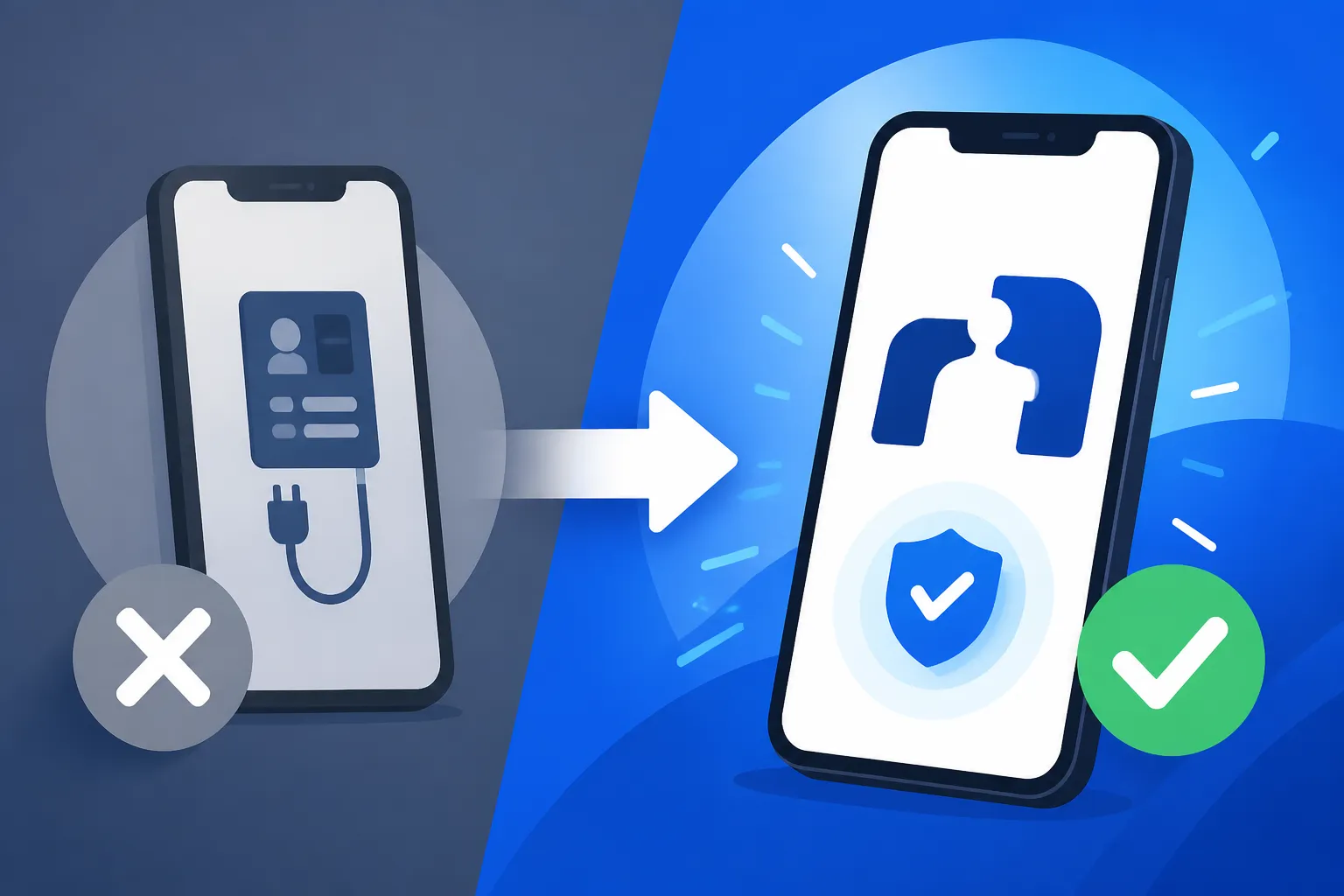
For nearly a decade, BankID på mobil was the gold standard for digital convenience in Norway. It allowed you to authenticate transactions and logins using a small pop-up on your phone screen tied directly to your SIM card. However, as technology evolved, this system began to show its age. The primary reason for the shift is that the SIM-based technology simply could not support the higher security requirements of modern European banking regulations. While it felt secure to us, it lacked the robust encryption and multi-factor capabilities that a dedicated application can provide.
The transition hasn't been easy for everyone. I remember the panic I felt when my bank sent that first notification saying my mobile BankID would stop working. For many of us, our entire lives are tied to that little digital handshake—from paying rent to checking medical results. The decision by the banks to move away from the SIM card was also a practical one. SIM cards have limited storage and processing power. By moving to an app-based platform, the developers can push updates, fix security vulnerabilities in real-time, and introduce biometrics like FaceID and fingerprint scanning, which are significantly faster than typing in a PIN every single time.
Furthermore, the old system was heavily dependent on mobile network operators. If you changed your SIM card or moved your number to a different provider, your BankID would often break, requiring a tedious reactivation process. The new app untethers your digital identity from the physical SIM card, meaning you can keep your BankID active even if you swap your Norwegian SIM for a local one while traveling or using a service like Wise to manage your international spending. This flexibility is a massive win for the expat community, even if the initial setup feels like another bureaucratic mountain to climb.
The Security Shift and Technological Limitations
The technical architecture of BankID på mobil relied on a "Sign-in-the-SIM" method. This was innovative in 2012 but became a liability by 2024. Hackers had begun to find ways to intercept the signaling used for these pop-ups, and the lack of a secure, "sandboxed" environment on a SIM card made it difficult to defend against sophisticated phishing attacks. The BankID app, conversely, operates within the secured environment of your smartphone's operating system, utilizing the same level of encryption used by high-end financial institutions globally.
When you use the app, you are no longer just sending a "yes" or "no" via your mobile network. You are creating a secure, encrypted tunnel between your device and the BankID servers. This is why you now see specific words or codes that you must match between the login screen and your app. This "visual pairing" ensures that you are actually logging into the site you think you are, providing a vital layer of protection against the increasingly common man-in-the-middle attacks that target expats who might be less familiar with the local digital landscape.
Why Banks Pushed for the App-Based Solution
Norwegian banks, including the Best Norwegian Banks for Expats: DNB, Nordea, SpareBank 1, and Sbanken, realized that maintaining two separate systems—the physical "kodebrikke" (code token) and the mobile SIM version—was becoming too expensive and inefficient. The app consolidates these functions. By pushing everyone toward the app, banks can ensure that every customer is using the most secure version of the software available.
For those of us who also have to manage complex tax situations, having a reliable digital ID is non-negotiable. If you are using a service like Taxes for Expats to handle your home country filings while living in Oslo, you know that access to your Norwegian financial records must be seamless. The app-based system provides a more stable platform for this, reducing the likelihood of being locked out of your account right when a tax deadline is looming. The banks also appreciate that the app allows for "BankID with biometrics," which speeds up the login process for daily tasks like checking your balance or sending money to a friend.
Transitioning to the BankID App: A Step-by-Step Guide for Expats
Moving to the app isn't just a matter of downloading it from the App Store or Google Play. Because BankID is your legal signature in Norway, the activation process is understandably rigorous. If you are a foreign national, this is where things often get "spicy." The system is designed for people with a permanent Norwegian birth number (fødselsnummer) and a Norwegian passport, which can create friction for those of us on a D-number or with foreign travel documents.
The first step is to ensure that your current BankID (the one tied to your bank account, not necessarily the mobile version) is active. You will almost certainly need your physical "kodebrikke"—that little orange or white plastic device that spits out six-digit codes. If you’ve lost yours, call your bank immediately. You cannot activate the app without either an active BankID på mobil (while it’s still supported for your specific bank) or your kodebrikke. For many, this is the first hurdle in BankID Explained: Norway's Digital Identity System and Expat Challenges.
Once you have your credentials ready, download the official BankID app. Beware of third-party clones; only download the version developed by "BankID Bankaxept AS." When you open the app, it will ask you to identify yourself. This is usually done by entering your fødselsnummer and then using your kodebrikke to authenticate. If the system recognizes your identity, it will then begin the process of "binding" your phone to your digital ID.
Prerequisites: BankID from Your Bank and a Compatible Smartphone
Before you start, check your phone's operating system. The BankID app requires relatively recent versions of iOS or Android to function correctly. If you are holding onto an older iPhone 6 or an ancient Samsung, you might find the app won't even install. This is an intentional security feature. For expats, this might mean an unexpected hardware upgrade is necessary to stay digitally active in Norway.
You also need to make sure your bank has "cleared" you for app usage. Some banks require you to have been a customer for a certain period, or to have performed a physical ID check at a branch, before they allow you to move from the kodebrikke to the app. This is particularly common if you opened your account with a D-number. If you find yourself stuck, don't just keep trying the app; log into your online banking (nettbank) and look for a section titled "BankID" or "Mobilbank" to see if there are any pending requirements you need to fulfill first.
The Activation Process and Authentication Methods
The activation process usually involves receiving a one-time code via SMS or email. Once entered, the app will ask you to create a personal PIN. This PIN is separate from your bank card PIN and your phone’s lock screen PIN. Choose something you will remember, but don't make it obvious. After the PIN is set, the app will ask if you want to enable biometrics. I highly recommend this. Being able to approve a payment with a quick glance at your phone is much easier than typing a code while standing in line at a supermarket.
It is worth noting that for a few days after activation, your app might be in a "restricted" mode. This is a security "cooldown" period designed to prevent scammers from taking over an account and immediately draining it. During this time, you might still need your kodebrikke for large transfers. This is a great time to ensure your other financial tools, such as Wise, are correctly linked to your Norwegian accounts so you can move money if needed without triggering every security alarm in the system.
| Feature | BankID på mobil (Old) | BankID App (New) | Kodebrikke (Token) |
|---|---|---|---|
| Authentication | SIM-based PIN | App-based + Biometrics | Physical device + Code |
| Speed | Slow (Network dependent) | Very Fast | Slow (Manual entry) |
| Security Level | High | Highest (Encrypted) | High (Physical) |
| Hardware | Any phone with SIM | Smartphone (iOS/Android) | Separate plastic device |
| Availability | Being Phased Out | Current Standard | Permanent Backup |
Common Hurdles: Passport Scans, D-Numbers, and Technical Glitches
The most significant pain point for the international community in Norway recently has been the "ID Check" within the BankID app. To reach the highest level of security—which is required for things like How to Book a Doctor’s Appointment Online Using BankID—the app often asks you to scan your passport using the NFC chip (RFID). If you have a Norwegian passport, this usually works flawlessly. If you have a foreign passport, the success rate can be… temperamental.
Many expats have reported that the app fails to recognize the RFID chip in their home country's passport. This is often due to the app’s software being optimized for Norwegian document standards. If this happens, you are essentially stuck in a loop. You can't use the app for "high-level" tasks, and the old mobile version is gone. In this scenario, you must contact your bank to arrange a physical ID check. You’ll have to take your physical passport to a branch so they can manually verify you and "flag" your digital ID as verified.
The RFID Passport Requirement and Physical Identification
The requirement for a Passport with RFID Chip: Why Norwegian Banks Demand It for BankID is part of an EU-wide push for stronger identity verification. The chip contains encrypted biometric data that is much harder to forge than a printed photo. When you hold your phone over the passport, it uses the same technology as contactless payments to read this data. If your phone has a thick case, or if you aren't hitting the exact "sweet spot" (usually near the top camera on iPhones or the center-back on Androids), the scan will fail.
For those on a D-number, the struggle is even more real. Some banks still restrict D-number holders from using the app entirely, forcing them to stick with the physical kodebrikke. This can be incredibly frustrating when you're trying to manage your life or work with Taxes for Expats to stay compliant globally. If you are in this situation, my advice is to be persistent. If one bank clerk says it's impossible, try another branch or even another bank. The rules are often interpreted differently by different staff members.
Troubleshooting Errors and Lost Access
What happens if you lose your phone or delete the app? This is the nightmare scenario for many. Unlike BankID på mobil, which was tied to your SIM, the app is tied to the device. If you get a new phone, you have to go through the activation process again. This is why you must never throw away your physical kodebrikke. It is your ultimate backup. Without it, or a functioning BankID on your old phone, you will be locked out of everything, and getting back in usually requires a trip to the bank with your passport in hand.
Common error codes in the app often relate to "Time-out" or "Network issues." If you're using a VPN, turn it off. BankID's security protocols often flag non-Norwegian IP addresses as suspicious during the activation phase. Once activated, it usually works fine abroad, but the initial setup is very sensitive to your digital location. If you are trying to set this up while visiting home and using a service like Wise to manage your travel cash, make sure you're on a stable, local Wi-Fi connection and that your phone's region settings are set to Norway.
Managing Your Norwegian Life Without SIM-Based Identity
Adapting to life without the SIM-based BankID means changing your habits. You have to ensure your phone is always charged and that you have a backup way to log in if the app fails. While the app is generally more reliable, no system is perfect. In the transition period, many foreigners found themselves wondering, Can I Pay Bills Online (Nettbank) Without BankID?. The short answer is: usually not. You might be able to log in with a "simplified" bank ID (just a password and SMS) to check your balance, but to pay a bill or move money, the full BankID (App or Kodebrikke) is mandatory.
This change also impacts how you interact with the Norwegian state. Whether it's The Complete Guide to Norwegian Taxes for Expats (Skatteetaten) or checking your pension, the app is now the primary gateway. It’s a good idea to keep your kodebrikke in a safe place at home—not in your wallet—so that if your phone is stolen, you still have a way to log in and block your accounts.
Alternative Login Methods: MinID and Hardware Tokens (Kodebrikke)
If you find the BankID app too cumbersome or if your phone is incompatible, remember that MinID is still an option for many government services. MinID is a lower security level (Level 3), whereas BankID is Level 4. You can use MinID to change your address or apply for certain benefits, but you cannot use it for banking or signing legal documents. It’s a useful backup to have in your "expat toolkit" for those days when technology refuses to cooperate.
The hardware token, or kodebrikke, remains the most "fail-proof" method. It doesn't need a SIM card, it doesn't care about your phone's operating system, and it has a battery life that lasts years. While it's not as "cool" as using FaceID on an app, I always carry mine when traveling internationally. If my phone dies or gets lost in a foreign country, that little plastic box is my only way to access my funds or prove my identity to the Norwegian authorities.
The Digital Future: Biometrics and Seamless Authentication
Despite the growing pains, the move to the app is a step toward a more seamless digital life in Norway. We are moving toward a future where "BankID with biometrics" will allow for even faster transactions. Soon, you won't even need to open the app; a notification will pop up, you'll glance at your phone, and the transaction will be signed. This level of integration is what makes Norway one of the most digitally advanced societies in the world.
For us expats, staying on top of these changes is part of the price of admission for living in this beautiful, high-tech country. By moving away from the limitations of the SIM card, we are gaining a more secure and flexible way to manage our identities. Whether you are filing your global income with Taxes for Expats or just paying for a coffee with Vipps, the BankID app is your new best friend. Embrace the change, keep your kodebrikke safe, and enjoy the convenience of a truly digital society.
Disclaimer
The information provided in this guide is for informational purposes only and does not constitute legal or financial advice. Banking regulations and BankID protocols in Norway are subject to frequent changes by the Norwegian authorities and the banking consortium. Always verify the latest requirements directly with your bank or the official BankID website. Physical ID requirements and the acceptance of foreign passports may vary by institution.